
This guide uses the recommended integration path. If your
integration uses different methods, see
Choose a boarding method,
Choose a rate API,
or
Choose a file format.
Before you start
This guide assumes you have completed onboarding and received your credentials from Fexco. You need the following values before you begin:- OAuth client ID and secret for the Boarding REST API.
- Acquirer ID, a three-letter code that identifies your organization.
- Template ID for the merchant configuration.
- Boarding API base URL for your environment.
- DHS host URL for Flex REST rate requests.
1
Board a merchant
Before you can request a rate offer, you need at least one merchant registered in Fexco’s system. The Boarding REST API lets you create a merchant with a single request.First, request an OAuth access token:- Request
- Response
access_token to submit a boarding
request to
Create a batch of boarding requests
with one merchant:The
baseCurrency field uses an
ISO 4217
numeric currency code. For example, 978 is EUR and
840 is USD. See
Currency codes
for a reference.- Request
- Response
COMPLETED before moving to the
next step.A
202 Accepted response with a boardingId means your
merchant is being registered. If the request returns an
error, see
Troubleshoot merchant boarding.2
Request a rate offer
With your merchant boarded, you can request a DCC rate offer. The Flex REST API is a simpleGET request with no
application-level authentication.Replace TST with your acquirer ID and CA001 with the
card acceptor ID you used when boarding. The posentrymode
value is a three-character
ISO 8583 code
that describes how the card number was captured. In the
example below, 071 means contactless ICC EMV with PIN
entry capability.- Request
- Response
A response containing
foreignAmount and exchangeRate
means DCC is working for your merchant. The card is
eligible and you have a live conversion offer. If the
response body is empty ({}), the card is not eligible.
See
Handle domestic and unsupported cards.
If the request returns an error, see
Troubleshoot rate service errors.foreignAmount and
exchangeRate, you have successfully requested your first DCC
rate offer. Your integration is returning real conversion data
and DCC is active for your merchant.
The receipt below shows what a completed DCC transaction looks
like after the cardholder accepts the offer and the transaction
is authorized.
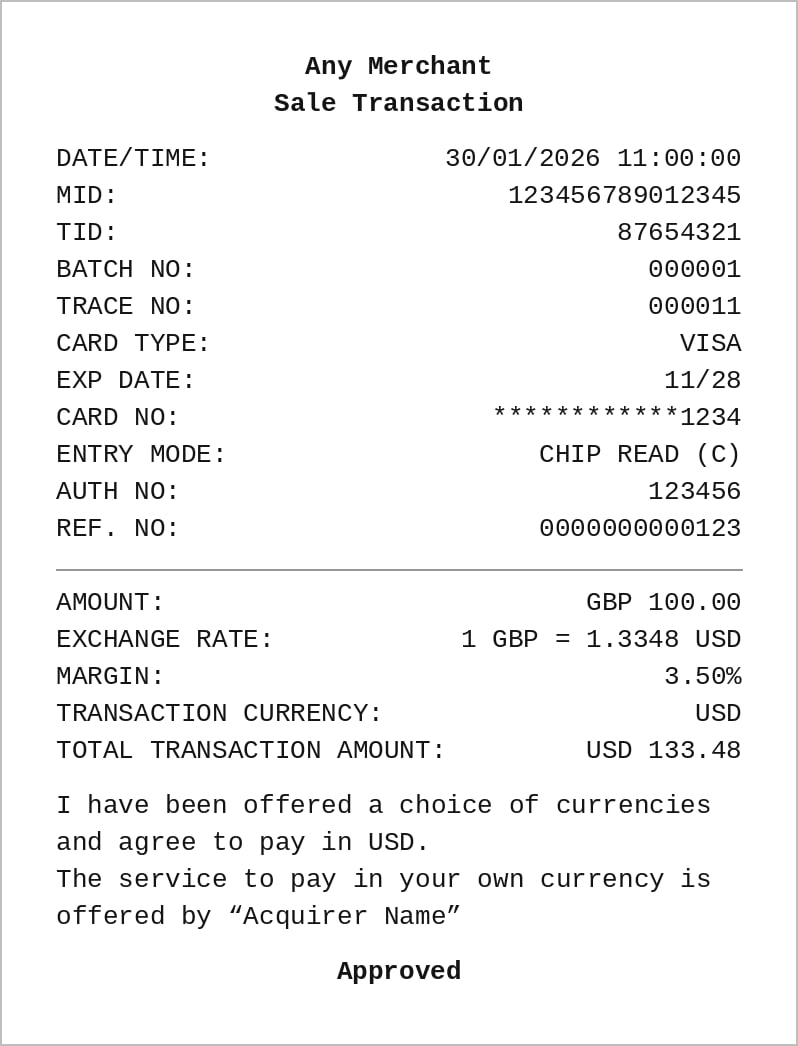
A POS receipt for a completed DCC sale transaction. The receipt shows the base amount, exchange rate, margin, and the total in the cardholder's home currency.
Next steps
Explore the full guides to continue building out your integration.- Request a DCC offer (Flex REST): the full field reference and response handling for rate offers.
- How transaction import works: submit daily transaction files to Fexco for settlement.
- Integration journey: the phases from development through production rollout.