
Point of sale (POS)
The cardholder presents a foreign card at a physical terminal. The terminal or host calls Fexco’s rate service and presents the DCC offer before the transaction is authorized.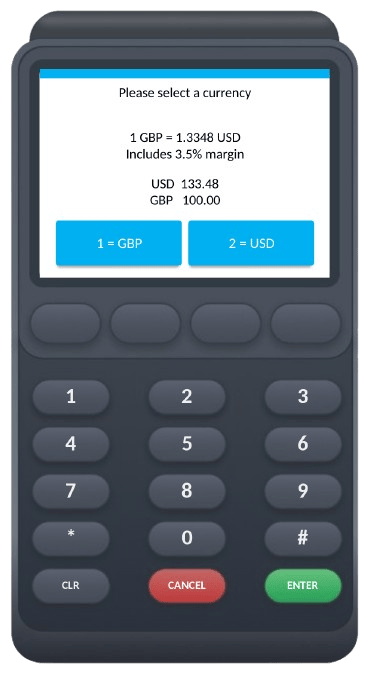
POS terminal showing a DCC transaction. The cardholder sees the exchange rate and margin, then selects their home currency.
Ecommerce (eDCC)
At an online checkout, the payment page calls Fexco’s rate service and presents the DCC offer before the cardholder confirms payment. The rate is generated at the moment of checkout, in the same way as a POS transaction.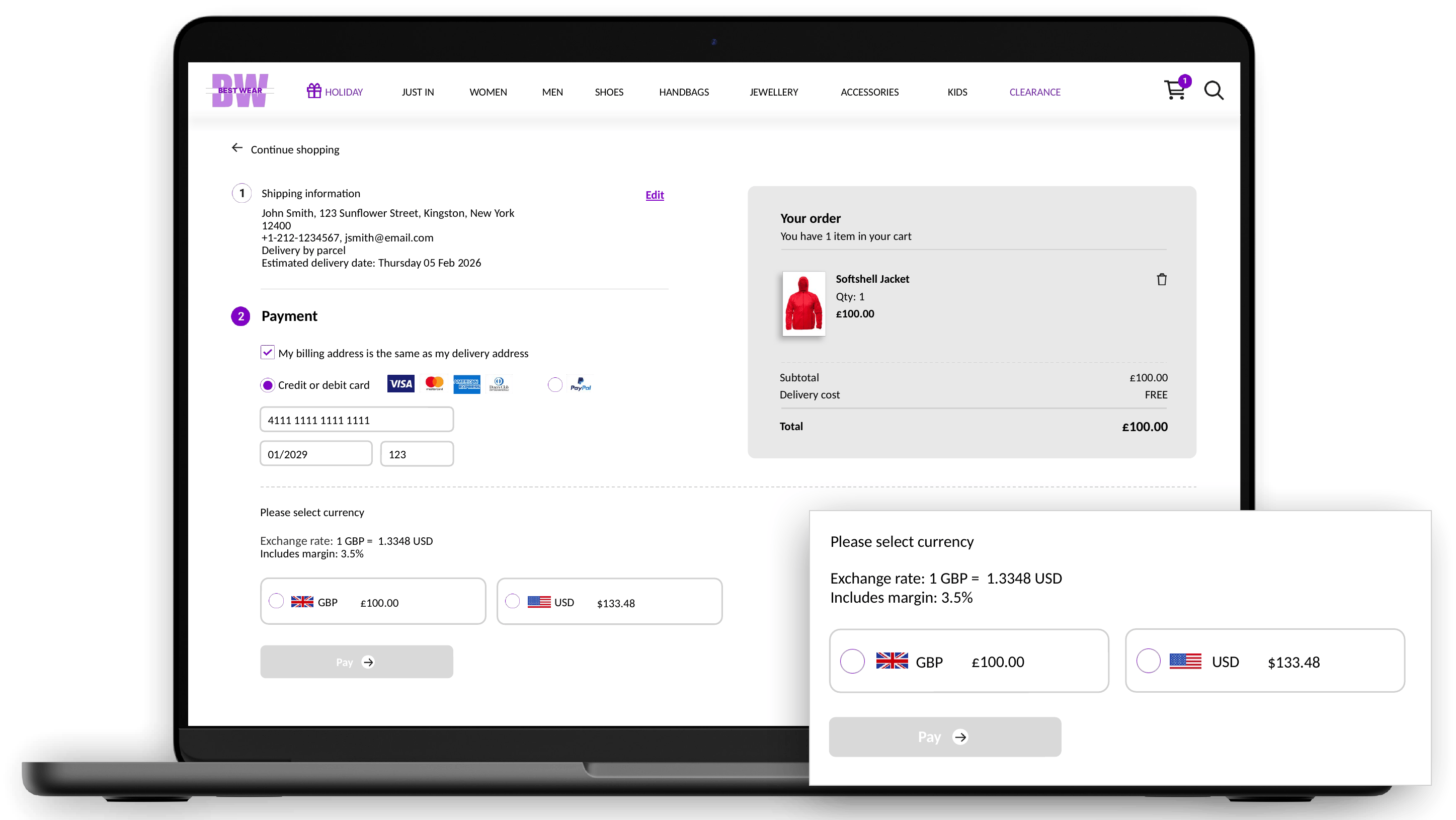
Ecommerce checkout showing the DCC currency selection. The cardholder sees the exchange rate and margin before choosing a currency.
ATM
An international cardholder withdrawing cash sees the cost of the withdrawal in their home currency before confirming. Fexco’s rate service generates the rate at the point of withdrawal.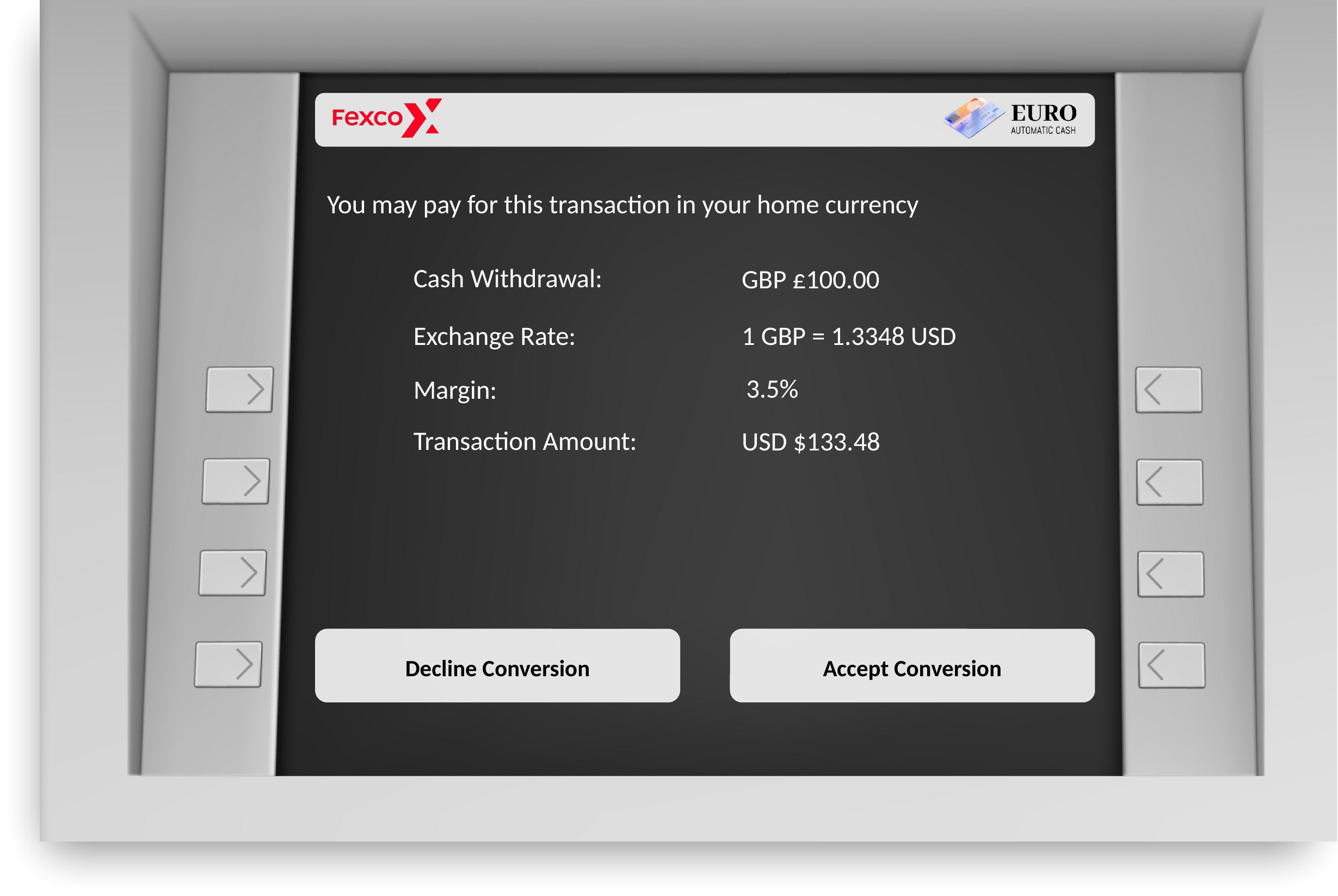
ATM screen showing the DCC offer for a cash withdrawal. The cardholder can accept or decline the currency conversion.
How DCC works
The core DCC flow is the same across all three channels. The steps below use a POS transaction as the example:- Present the card: The cardholder presents their foreign card at the point of payment.
- Request a rate: The acquirer’s system routes a rate request to Fexco, identifying the merchant and card for the transaction amount.
- Receive the rate and amount: Fexco’s rate service returns the exchange rate and the equivalent amount in the cardholder’s home currency.
- Present the DCC offer: The terminal or payment page offers the cardholder a choice: pay in the merchant’s local currency or in their own currency. Their choice is recorded.
- Authorize the transaction: If the cardholder chooses their home currency, the transaction is authorized with the card schemes at the converted amount.
- Issue a receipt: The acquirer receives an authorization confirmation and issues a DCC-compliant receipt showing the rate applied.
Who integrates with DCC?
Fexco’s direct customers are acquirers (the banks that hold merchant accounts), payment service providers (PSPs), and ATM operators. An acquirer, PSP, or ATM operator integrates with the DCC APIs described in this documentation, then offers DCC to the merchants or ATM estate it manages.Merchants and cardholders never call Fexco’s APIs directly.
DCC integration components
A DCC integration is made up of three components. Most integrations touch all three, though not every acquirer boards merchants directly with Fexco.Merchant boarding
Registers a merchant location with Fexco under a template that controls its currencies, commission structure, and whether DCC is active.
Rate service
Returns the exchange rate and amount for a DCC offer, requested by the acquirer in real time at the point of payment.
Transaction import
Reports which DCC offers were accepted, so Fexco can calculate commission.
- A merchant is boarded once, ahead of time, which assigns it a template that determines its DCC configuration.
- At the point of payment, the acquirer calls the rate service for a rate and amount, and the cardholder accepts or declines the DCC offer.
- The acquirer reports the transaction to Fexco through a transaction import file, which allows Fexco to calculate commission for accepted DCC offers.
Next steps
Now that you understand how DCC works, explore the pages below to continue.- What is MCP?: learn about Multi-Currency Pricing, a separate mechanism where merchants pre-price products in the cardholder’s home currency before checkout.
- Integration journey: see the phases from onboarding to production.
- Before you integrate: find out what you need from Fexco before you start building.